
Cut the Cord: The Ultimate IPTV Australia Guide for 2026
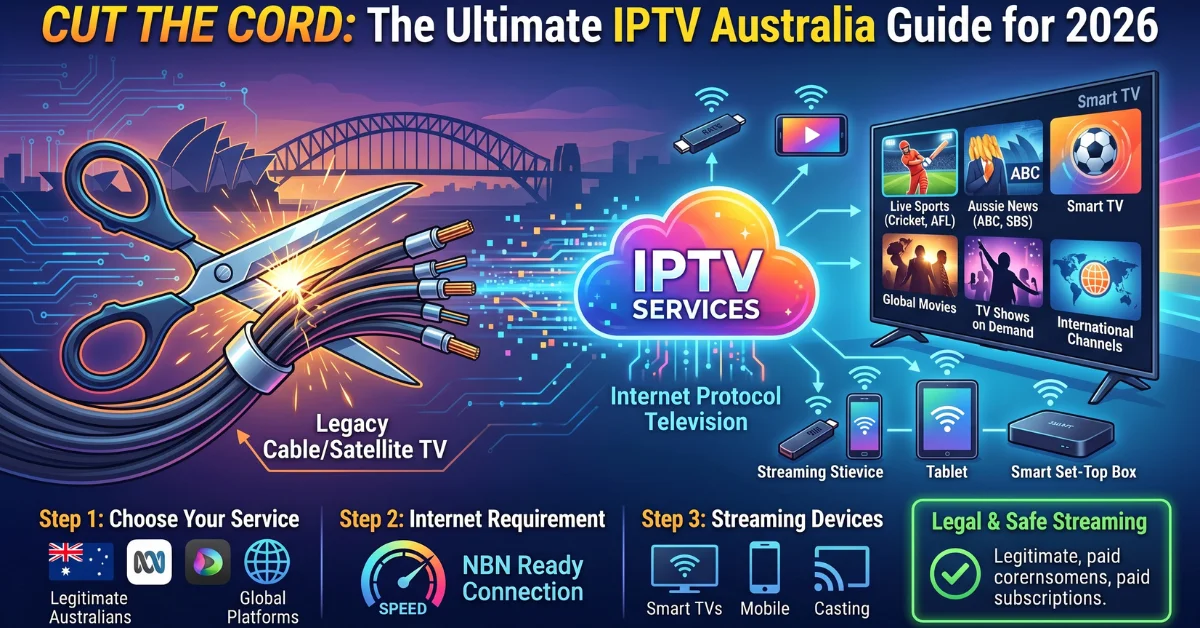
Cut the Cord: The Ultimate IPTV Australia Guide for 2026
Traditional television is no longer the only way to watch live channels, entertainment and sports in Australia. With a reliable internet connection and a compatible device, viewers can access television content through Internet Protocol Television (IPTV), giving them another option alongside traditional broadcast and pay-TV services. This IPTV Australia guide explains what IPTV is, how it works, which devices can be used, what affects streaming quality, how to approach setup, and what to check before choosing an IPTV subscription. The goal is simple: help Australian viewers understand the technology so they can make an informed decision.
What Is IPTV?
IPTV stands for Internet Protocol Television. Instead of delivering television programming through traditional broadcast, satellite or cable infrastructure, IPTV uses an internet connection to deliver video content to a compatible device.
IPTV can support different types of viewing, depending on the service and the content rights available. These may include live television, on-demand programming, films and series, and other streaming content.
The technology itself is different from a conventional television broadcast because the content is delivered using internet protocols. For a broader technical explanation, readers can also explore this Internet Protocol Television overview.
How Does IPTV Work in Australia?
At a basic level, an IPTV setup has three important parts: the content source, your internet connection and a compatible viewing device or IPTV player. Read our IPTV Australia Guide for simple setup tips and streaming advice.
- Content is delivered over the internet: The IPTV service provides a stream that can be accessed through an appropriate application or player.
- Your internet connection receives the stream: The quality of the connection can affect how smoothly video plays.
- A compatible device displays the content: This could be a Smart TV, streaming device, Android hardware, smartphone, tablet or another supported platform.
This means IPTV performance is not determined by the service alone. Your home network, device, application, internet speed and the quality of the stream can all influence the viewing experience.
Why Are Australian Viewers Considering IPTV?
One of the main attractions of IPTV is flexibility. Instead of relying on a single television platform, viewers can potentially use a compatible device and internet connection to access their chosen IPTV service.
For some households, IPTV Australia can also fit better with modern viewing habits. People increasingly watch content on televisions, streaming devices, phones and tablets rather than using one traditional television setup.
Common reasons Australian viewers consider IPTV include:
- Accessing television through an internet connection
- Using a preferred compatible device
- Watching live TV and other available content from one player
- Supporting flexible viewing around the home
- Using Smart TVs and streaming hardware rather than traditional television equipment
- Exploring alternatives to conventional TV packages
However, IPTV is not automatically better simply because it uses the internet. The right choice depends on the content you want, device compatibility, streaming performance, service terms and whether the provider has the necessary rights to offer its content.
IPTV Australia: Choosing the Right Device
Device compatibility should be one of the first things you check before subscribing to an IPTV service. An IPTV subscription is only useful if you can access it reliably on the device you intend to use. This IPTV Australia Guide explains devices, setup, quality, and pricing.
Smart TVs
Many modern Smart TVs can be used with compatible IPTV applications or players. The exact setup depends on the television’s operating system and the application supported by the IPTV service.
Before subscribing, check whether your specific TV model supports the required application or playback method. Two televisions from different manufacturers may have very different app availability and setup processes.
Amazon Fire TV and Firestick
Amazon Fire TV devices are popular for streaming because they connect directly to a television and provide access to applications. If you plan to use IPTV on Firestick, first confirm that the IPTV player you intend to use is compatible with your device and that the service provides the required login or playlist information.
Android TV and Android Devices
Android TV devices, Android TV boxes and Android smartphones or tablets can be useful for IPTV when the required player and service format are supported.
Additionally, Android users have access to a variety of IPTV player options; however, the optimal application will rely on your desired interface and the supported connection method of the service.
iPhone and iPad
IPTV can also be accessed on compatible iOS devices when a suitable IPTV player is available. Smartphone and tablet viewing can be useful when you do not want to use your television as the primary screen.
What Affects IPTV Streaming Quality?
Buying an IPTV subscription does not guarantee that every stream will play perfectly on every network. Streaming quality depends on several factors working together.
- Internet connection: A stable connection is essential for consistent streaming.
- Wi-Fi performance: Distance from the router, interference and network congestion can affect playback.
- Device performance: Older hardware may struggle with demanding high-resolution streams.
- Video resolution: HD, Full HD and 4K streams require different amounts of bandwidth and processing power.
- Server and stream performance: The quality and capacity of the service infrastructure can influence playback.
- Home network usage: Downloads, gaming, video calls and other connected devices can compete for bandwidth.
If IPTV is buffering, do not immediately assume that the subscription is the problem. Start by checking your internet connection and home network, then test the same stream on another compatible device if possible.
How to Set Up IPTV
The exact IPTV setup process varies between services and devices, but the general process is straightforward.
- Choose a compatible device: Decide whether you will watch on a Smart TV, Fire TV device, Android hardware, iPhone, iPad or another supported platform.
- Check the IPTV player’s requirements: Confirm which application or playback method your chosen service supports.
- Install the compatible IPTV player: Use the appropriate official application source available for your device.
- Enter your service details: Depending on the provider, this may involve account credentials, an M3U playlist or another supported connection method.
- Load the available content: Once the service has connected successfully, available channels or content should appear within the player.
- Test playback: Check several streams and, if available, different resolutions to make sure the setup works correctly.
Keep your login information private and only use applications and services you trust. If you are unsure about the setup requirements, the provider’s support documentation should be your first reference.
What Should You Check Before Choosing an IPTV Subscription?
The phrase best IPTV Australia can mean different things to different viewers. Instead of choosing a service based only on a promotional headline, compare the details that actually affect your viewing experience.
1. Device Compatibility
Make sure the service works with the device you already own or plan to use. This is particularly important if you want IPTV on a Smart TV or streaming device.
2. Content and Channel Availability
Check what the subscription actually includes. Channel availability can change, and not every provider offers the same content. If a particular channel, programme or sporting competition matters to you, verify its availability before purchasing.
3. Video Quality
Look at the resolutions supported by the service and your device. HD, Full HD and 4K are not interchangeable, and higher resolution generally requires a capable device and stronger network performance.
4. Connection Requirements
Consider your home internet connection and Wi-Fi setup. A service can have suitable streams, but poor local connectivity can still result in buffering or interruptions.
5. Subscription Terms
Review the plan duration, price, renewal conditions, supported devices and refund terms before paying. If you are comparing IPTV pricing Australia options, compare the complete package rather than focusing only on the monthly equivalent.
6. Customer Support
Good support can make setup and troubleshooting much easier, particularly for first-time IPTV users. Look for clear contact options and useful setup guidance rather than relying solely on marketing claims.
7. Legality and Content Rights
This is one of the most important considerations. IPTV is a technology for delivering television over internet protocols, but that does not mean every IPTV service or every piece of content offered through IPTV is automatically authorised.
Australian viewers should choose services and content they are legally entitled to access. If a provider makes unusually broad claims about premium content, ask how that content is authorised before subscribing.
How to Troubleshoot Common IPTV Problems
Even a properly configured IPTV system can experience occasional playback issues. The following checks can help identify common problems.
Buffering
Check your internet connection first. Restarting your router, reducing network congestion and moving a Wi-Fi device closer to the router can sometimes improve performance. If possible, testing a wired connection can also help determine whether Wi-Fi is contributing to the problem.
Channel Not Loading
If one stream does not load while others work, the issue may be specific to that stream. Test other available content before changing your entire setup.
Application Problems
Restart the IPTV player and check whether an update is available. If the problem continues, verify that your account details and connection information have been entered correctly.
Device Compatibility Issues
If the application is unavailable or does not function properly on your device, check whether the IPTV service supports your particular operating system and model. Installing random applications from unknown sources is not a good substitute for confirmed compatibility.
IPTV vs Traditional Television
| Factor | Traditional TV | IPTV |
|---|---|---|
| Delivery method | Broadcast, cable or satellite depending on the service | Internet connection |
| Internet required | Not necessarily | Yes |
| Device flexibility | Depends on the television platform | Can support multiple compatible devices |
| Streaming performance | Generally independent of home internet performance | Can be affected by internet and network conditions |
| Setup | Varies by television service | Usually involves a compatible player and service credentials |
The comparison is not about declaring one technology universally better. IPTV may suit viewers who prefer internet-based access and device flexibility, while traditional television can remain attractive to households that prefer conventional broadcast or pay-TV arrangements.
Explore IPTV Options in Australia
Once you understand the technology and your requirements, you can compare available service information more effectively. If you want to explore the service behind this guide, visit Pro IPTV Australia to review the available information and see whether it fits your viewing needs.
For readers who are already comparing plans, the IPTV pricing and plans page is the appropriate place to check current subscription information rather than relying on outdated figures in an article.
Frequently Asked Questions About IPTV Australia Guide
What is IPTV in Australia?
IPTV is television content delivered through Internet Protocol networks rather than traditional broadcast, cable or satellite delivery. Australian viewers can use compatible devices and IPTV players to access authorised IPTV services over the internet.
Can I use IPTV on a Firestick?
Yes, IPTV can be used on compatible Amazon Fire TV devices when the IPTV service and player support the device. Always check compatibility and use legitimate application sources.
Can IPTV work on a Smart TV?
It can, provided the Smart TV and the IPTV service support a compatible IPTV application or playback method. Compatibility varies between television models and operating systems.
Does IPTV work on Android?
Many IPTV services can work on compatible Android devices through supported IPTV players. Check the provider’s requirements before subscribing.
What internet connection do I need for IPTV?
The required connection depends on the video quality, stream and network conditions. Higher-resolution video generally requires more bandwidth. Stability is also important because a fast connection can still perform poorly if it frequently drops or becomes congested.
Why does IPTV buffer?
Buffering can result from network congestion, unstable Wi-Fi, insufficient bandwidth, device limitations or problems with a particular stream or service infrastructure. Testing your connection and another stream can help narrow down the cause.
Should I choose an IPTV subscription based only on price?
No. Compare price alongside device compatibility, content availability, video quality, subscription terms, support and the provider’s rights to distribute its content. The cheapest option is not necessarily the most suitable one.
Is IPTV legal in Australia?
IPTV as a delivery technology is not inherently illegal. The important distinction is whether the particular service and content are properly authorised. Australian viewers should use services and content they are legally entitled to access.
Final Thoughts
Cutting the cord does not have to mean choosing a service without understanding what you are getting. IPTV service Australia provides an internet-based approach to television that can work across compatible Smart TVs, streaming devices, Android hardware and mobile devices.
The most important step is to evaluate the complete experience rather than focusing on a single feature. Check device compatibility, content availability, streaming requirements, subscription terms, support and content rights before making a decision.
For Australian viewers researching an IPTV subscription, that approach makes it easier to separate useful services from vague marketing claims and choose an option that genuinely matches their viewing habits. Use our IPTV Australia Guide to choose a suitable IPTV service in Australia.