
Guide to Choosing the Best IPTV Device for Australian Viewers
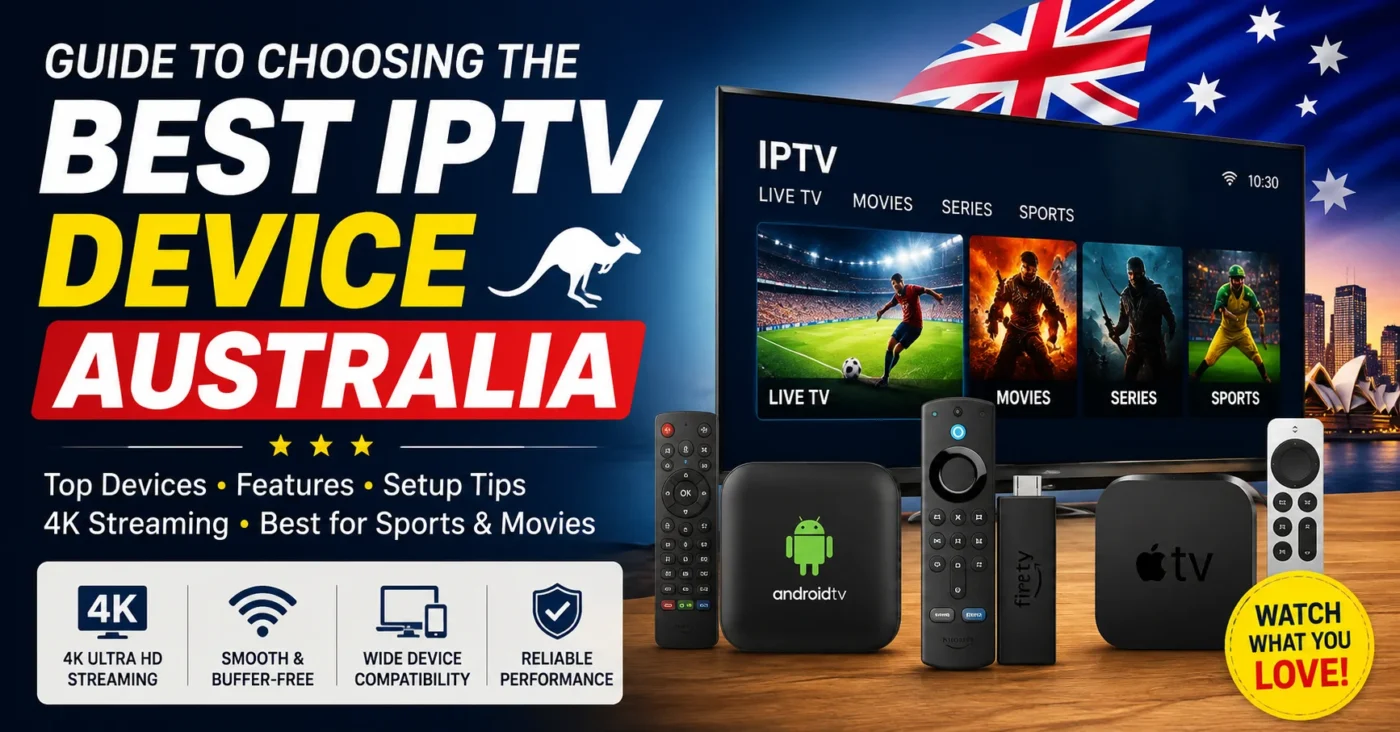
Guide to Choosing the Best IPTV Australia Device for Australian Viewers
What Is IPTV and How Does It Work?
IPTV stands for Internet Protocol Television. Instead of receiving television programming through traditional broadcast, satellite or cable infrastructure, IPTV delivers television content over an internet connection. The basic concept is explained in this IPTV reference.
An IPTV streaming service normally requires three things: a compatible internet connection, a device capable of running an IPTV app, and access to a legitimate IPTV service or subscription. Depending on the provider and plan, viewers may be able to access live television, catch-up content, movies, series and sports programming.
The device acts as the bridge between the IPTV service and your television or screen. A fast, reliable device can make menus more responsive and help supported high-resolution streams play smoothly. However, a powerful device cannot compensate for an unreliable internet connection or a poorly configured service.
IPTV Australia: What Should Australian Viewers Look For?
When comparing Australian IPTV options, device compatibility should be one of the first considerations. A service may support several platforms, but the experience can differ depending on whether you are using a Smart TV, Firestick, Android TV device, phone or tablet.
Australian viewers should consider several practical factors:
- App compatibility: Check that the IPTV app you want to use works on your chosen device.
- Streaming performance: Look for responsive hardware that can handle your preferred resolution.
- 4K support: If your television supports 4K, consider a device capable of handling compatible 4K IPTV streams.
- Wi-Fi performance: A strong wireless connection can be important when the device is positioned away from your router.
- Storage: More storage can be useful if you plan to install several streaming applications.
- Ease of setup: Beginners may prefer a simple interface and straightforward app installation.
- Remote control: A good remote can make everyday navigation much easier.
It is also worth checking your television before buying anything. Many modern Smart TVs already have app platforms that may support compatible IPTV applications. In that situation, purchasing another device may not be necessary.
Best IPTV Device Options for Australian Viewers
Amazon Fire TV and Firestick
Fire TV devices are popular among streaming users because they are compact, relatively simple to configure and designed for television use. For people specifically searching for IPTV Firestick solutions, a compatible Fire TV device can be a convenient option.
A Firestick-style setup can be particularly useful if your television does not have the applications you need. You connect the device to an available HDMI port, connect it to the internet and install compatible applications.
Before choosing a Fire TV device, check its current operating system, available storage and supported video formats. Also make sure the IPTV app you intend to use is compatible with that specific version.
Android TV and Google TV Devices
Android TV and Google TV devices are another strong choice for Australian IPTV users. They provide access to a broad range of television and streaming applications and can offer a familiar interface for people already using Android devices.
An Android-based streaming box may be suitable for households that want more flexibility than a basic streaming stick provides. Some models also offer stronger hardware, additional storage and support for higher-resolution video.
When shopping for an Android IPTV device, avoid choosing solely based on processor numbers or advertised specifications. Software support, app compatibility and reliable updates can be just as important for long-term use.
Smart TVs
If you already own a modern Smart TV, you may not need a separate IPTV box. Many Smart TVs provide access to app stores where compatible IPTV applications can be installed.
This is often the simplest setup because the television, internet connection and application are integrated into one device. It also means fewer cables and fewer remote controls.
The downside is that Smart TV platforms vary significantly between manufacturers. An IPTV app available on one television platform may not be available on another. Always check compatibility before selecting your IPTV provider Australia service.
Android Phones and Tablets
For mobile viewing, Android smartphones and tablets can provide a flexible IPTV experience. A compatible IPTV app can allow users to watch supported content without being tied to the television.
This can be useful for travellers, students or anyone who wants a second-screen option around the home. However, smaller screens and mobile data limits can make smartphones less suitable for extended viewing.
iPhone and iPad
Apple devices can also be useful for IPTV streaming when the relevant application is available and supported. iPhones and iPads are particularly convenient for portable viewing, although users should confirm application compatibility before subscribing.
For a living-room setup, an iPhone or iPad is generally better viewed as a secondary device rather than the main television platform.
How to Choose best IPTV Australia Device for Sports, Movies and Live TV
Your viewing habits should influence your device choice. Someone who mainly watches standard live channels has different requirements from someone who regularly watches sports or high-resolution movies.
For Sports Fans
If live sports are your priority, look for a responsive device with stable network performance. Fast navigation matters when switching between channels, while consistent playback is important during live events.
People searching for the best IPTV for sports should consider both the service and the device. A good device cannot improve a poor stream source, so service reliability and device performance need to work together.
For viewers interested in international programming, channel availability should also be checked before subscribing. Search terms such as sports channels Dubai may appear when comparing international channel packages, but Australian users should make sure the channels they actually want are included in their chosen plan.
For Movies and On-Demand Content
Movie fans may benefit from a device with good high-definition or 4K playback capabilities, enough processing power for smooth navigation and sufficient storage for additional streaming apps.
If your television is 4K-capable, choosing a device that supports compatible 4K formats can help you get more from your display. Keep in mind that actual picture quality also depends on the content source, subscription, internet connection and television.
IPTV Free Trial: Test Your Device Before Committing
An IPTV free trial can be useful when you are unsure whether a service will work properly with your chosen device. Instead of immediately committing to a longer subscription, a trial can give you an opportunity to test the application, channel selection and playback experience.
Australian users searching for a free IPTV trial Australia should use the trial period to test more than just whether a channel opens. Try different channels, check live sports if that matters to you, test high-resolution content and see how quickly the application responds.
You can also test your setup at different times of day. A service that works well during a quiet afternoon may perform differently during a popular live sporting event when network demand is higher.
Searches for IPTV Australia free trial are common because trials reduce the risk of choosing an unsuitable service. If a provider offers a trial, check its terms carefully and understand what is included before continuing with a paid plan.
IPTV App Compatibility Matters
The IPTV app is just as important as the hardware. Some devices support a wide range of applications, while others have more restricted app ecosystems.
Before subscribing, check:
- Whether your device supports the provider’s recommended IPTV app.
- Whether the app supports your preferred login method.
- Whether the application supports live TV and on-demand features you need.
- Whether the interface works well with your remote control.
- Whether the app supports the resolution and playback features required by your television.
People searching for an IPTV app should also be careful about unofficial applications and downloads. Use trusted app sources whenever possible and avoid installing unknown software simply because it promises access to premium content for free.
How to Set Up best IPTV Australia on Your Device
Once you have selected a compatible IPTV device and service, the setup process is generally straightforward. The exact steps vary by platform and application, but the overall process usually follows this pattern.
Step 1: Connect the Device
Connect your Fire TV stick, Android TV box or other streaming device to your television using the appropriate HDMI connection. If you are using a Smart TV, you can normally skip this step.
Step 2: Connect to the Internet
Connect the device to your home Wi-Fi network or use an Ethernet connection if supported. For a stationary television setup, Ethernet can be useful when you want a direct and stable network connection.
Step 3: Install a Compatible IPTV App
Open the device’s official application store and search for a compatible IPTV application. The exact app available to you will depend on your device and operating system.
If you have specifically searched for an IPTV Smarters downloader code, make sure you understand what you are installing and use trusted sources. Downloader tools can be convenient, but installing applications from unknown websites can introduce unnecessary security risks.
Step 4: Enter Your Service Details
Open the compatible application and enter the credentials or playlist information supplied by your IPTV provider. Follow the provider’s instructions rather than using login details from an unrelated source.
Step 5: Test Your Channels
Test several categories instead of checking only one channel. Try live TV, sports, movies and any other content included in your plan. If available, test HD and 4K streams as well.
Step 6: Optimise Your Connection
If playback is unstable, check your Wi-Fi signal, restart your router and move the device closer to the access point if necessary. A wired Ethernet connection can also be worth considering for a main television.
IPTV Subscription Australia: Understanding Pricing
Price is an important consideration when choosing an IPTV subscription in Australia, but the cheapest option is not always the best value. A low-cost plan may look attractive, yet reliability, device support, customer service and available content can have a greater impact on your experience.
People searching for cheap IPTV Australia should compare what each plan actually provides. Consider the subscription duration, number of supported devices, available content, streaming quality and whether customer support is provided.
You can review available options on the IPTV Australia pricing page before deciding which plan fits your viewing requirements.
| Device Type | Best For | Main Advantage | Consideration |
|---|---|---|---|
| Fire TV / Firestick | Simple TV streaming | Compact and easy to use | Check app compatibility |
| Android TV / Google TV | Flexible home setups | Broad app support | Hardware quality varies |
| Smart TV | Simple all-in-one setup | No extra box required | Platform support differs |
| Android Phone / Tablet | Portable viewing | Easy to carry | Smaller screen |
| iPhone / iPad | Mobile streaming | Convenient secondary screen | App availability varies |
If you want to compare the service and available subscription options in more detail, visit the IPTV Australia service page.
IPTV vs Cable TV: Which Is Better for Australian Homes?
Traditional cable and IPTV take different approaches to television delivery. IPTV uses an internet connection, while traditional television services can rely on dedicated broadcast, satellite or cable infrastructure.
For many modern households, Australia IPTV can be attractive because it combines television viewing with the flexibility of internet-based entertainment. A single compatible device can provide access to live channels and other streaming applications without requiring a traditional set-top box from a cable provider.
There are trade-offs. IPTV depends on your internet connection, so network problems can affect playback. Cable or other traditional television services may be less dependent on your household broadband connection.
The right choice depends on your home setup, viewing preferences, internet reliability and the services available in your area.
Common Mistakes When Choosing an IPTV Device
Many buyers focus heavily on price and overlook compatibility. Here are some mistakes worth avoiding:
- Buying before checking app support: Make sure your preferred application works on the device.
- Choosing the cheapest hardware: Extremely basic devices may provide a less responsive experience.
- Ignoring your internet connection: Device performance cannot solve weak or unstable internet.
- Paying for features you do not need: A premium 4K device may be unnecessary if you only watch standard-definition content.
- Ignoring updates: Software support can be important for long-term compatibility.
- Installing unknown apps: Stick with trusted application sources whenever possible.
Frequently Asked Questions About Best IPTV Australia Devices
What is the best IPTV device Australia viewers can use?
There is no single best device for everyone. Fire TV, Android TV, Google TV and compatible Smart TVs can all be suitable. The best choice depends on your television, preferred IPTV app, resolution requirements and budget.
Can I use IPTV Firestick devices in Australia?
Yes, a compatible Fire TV device can be used for IPTV streaming when the required application is supported. Always check current application compatibility and install software from trusted sources.
Is a Smart TV enough for Australian IPTV?
It can be. If your Smart TV supports a compatible IPTV app and provides the performance you need, an additional streaming device may not be necessary.
Can I get an IPTV free trial before subscribing?
Some services offer an IPTV free trial. If available, use the trial to test channels, playback quality, device compatibility and performance before selecting a longer subscription.
What should I check in a free IPTV trial Australia offer?
Check whether the trial includes the channels and features you actually want. Test the service on your main device, particularly during the times when you normally watch live TV or sports.
What is the best IPTV app for Australian viewers?
The best IPTV app depends on your device and the service you use. Compatibility, interface, playback performance and support for your provider’s login method should all be considered.
Do I need an IPTV Smarters downloader code?
Not necessarily. Installation methods vary by device and application. If an app requires a downloader method, use instructions supplied by a trusted source and avoid unknown APK or software websites.
Can I use IPTV for sports?
IPTV services can provide access to supported live sports channels, depending on the service and subscription. For sports fans, device performance, network stability and channel availability are all important.
Is cheap IPTV Australia always the best option?
No. Price should be compared with reliability, compatibility, content, customer support and subscription terms. The cheapest plan may not provide the best overall value.
Does 4K IPTV require a 4K device?
For 4K playback, you need a compatible 4K-capable display and a device that supports the required resolution and formats. Your internet connection and the content source also need to support the experience.
Final Tips for Choosing Your IPTV Device
The best IPTV Device Australia setup is one that fits your actual viewing habits rather than simply having the highest specifications. For a simple television setup, a compatible Smart TV or Fire TV device may be enough. Users who want more flexibility may prefer an Android TV or Google TV device, while phones and tablets are useful for portable viewing.
Before purchasing an IPTV subscription in Australia, check device compatibility, application support, streaming quality, internet requirements and subscription terms. If a free trial is available, use it as an opportunity to test the service on your preferred device before committing.
With the right device, compatible IPTV app and reliable internet connection, Australian viewers can build a convenient streaming setup tailored to the way they watch television.